
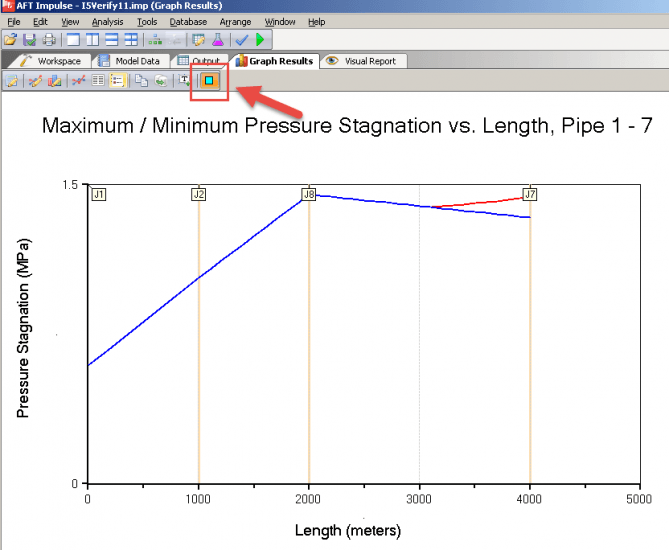
One of the many new features in AFT Impulse is the ability to show junction locations in profile plots. This can be enormously helpful when analyzing large, complicated systems. When enabled, all junction locations are identified by a vertical bar with a junction ID flag at the top. To show junction locations, click on the button in the toolbar.
Show Junction Locations will also work for animations.
John serves on the development team as a Senior Engineering Software Developer, teaches several training classes a year and assists in consulting projects as needed. He previously worked for Siemens Building Technologies as an automation system specialist/engineer and American GFM as a design engineer and lead mechanical/electrical engineer in support of research projects. John holds a Bachelor of Science in Mechanical Engineering (2004) from Old Dominion University.